If a club customer is no longer going to be a customer at your wash, you may terminate the customer permanently.
Follow these steps to terminate a customer:
- On the Customers menu, select Manage Customers.
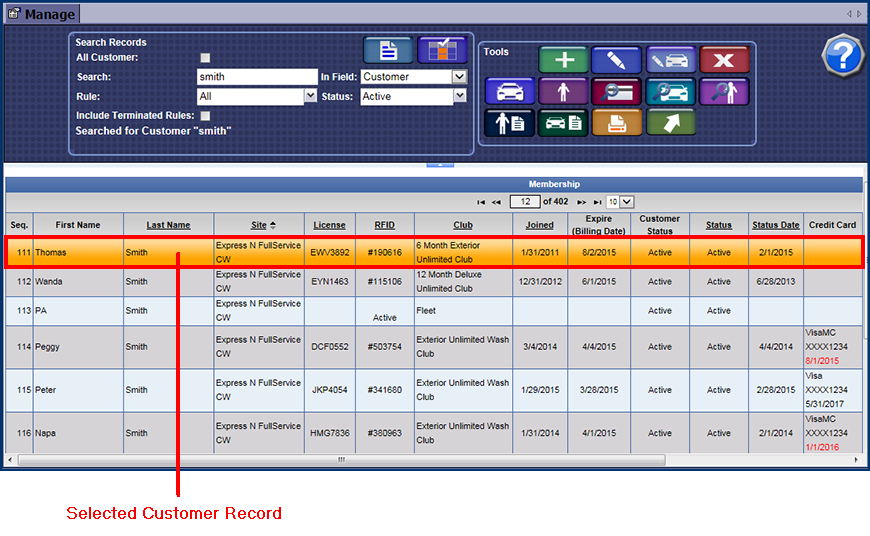
- Search for a customer.
- From the Membership list, click to select the customer.
- Click the Terminate Customer button.

- If you receive the "Are you sure you want to terminate this customer" -or- "Are you sure you want to terminate this vehicle" message, click Yes.
- If you receive the "Customer deleted successfully" -or- "Vehicle deleted successfully" message, click OK.
If the customer has vehicles listed, you will need to repeat steps 3 and 4 to terminate any other vehicles, and then lastly again to terminate the customer.
NOTE: You cannot remove the Customer record permanently from the Customer List. Users with manage privileges can view terminated customers by selected the status of Terminated and searching for a terminated customer.
IMPORTANT: When terminating a customer, any credit card recurring ID's will be cleared at both the current location and Corporate. Even though terminated, a club is still valid until the expiration date.
NOTE: For security purposes, WashConnect® does not store credit card data but stores a credit card recurring ID that the credit card processor uses to access the credit card data at TransFirst® or APAY®.